
“I’ll Set Up 2FA Later” — But Why You Should Do It Right Now
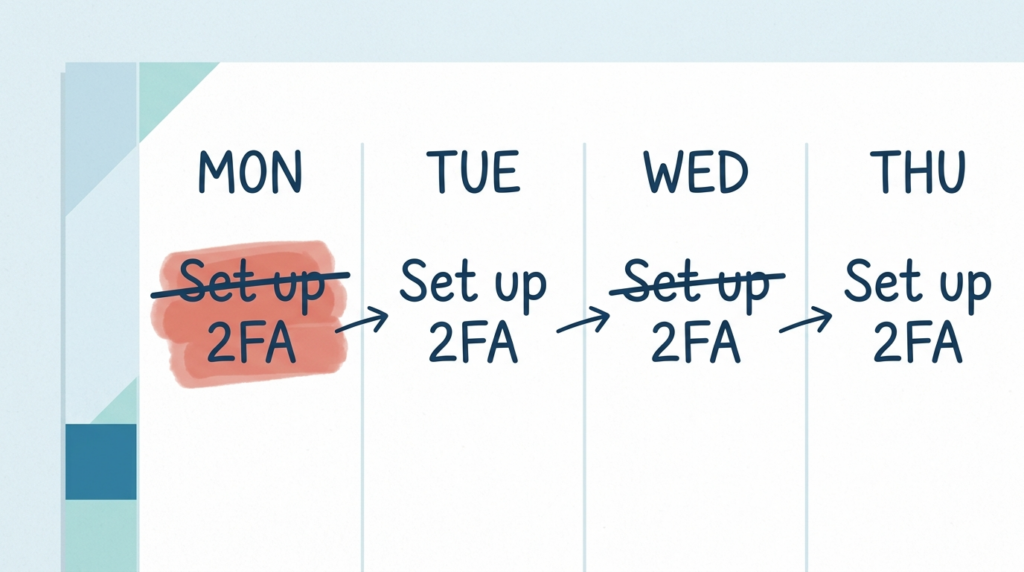
2FA is annoying, I’ll set it up later.
I’ve said it too. The problem with “later” is that it usually means “never”.
What 2FA actually is
To prove you’re you, a service can ask for things from three categories:
- Something you know — a password, a PIN, a security answer.
- Something you have — your phone, an authenticator app, a hardware key.
- Something you are — your fingerprint, your face, your iris.
A password alone is one factor. Two-factor auth means combining two different categories — for example, your password plus a code from your authenticator app.
The word “factor” matters. Two passwords don’t count. A password plus a security question doesn’t count either — both are still things you know. The protection only kicks in when an attacker would need to steal something from a different category.
Why your password alone is no longer enough
It stopped being enough years ago. Most people just haven’t noticed.
Leaks are the default, not the exception
There are public databases containing billions of leaked usernames, emails, and passwords. Every week more get added — from breaches at companies you’ve heard of and companies you haven’t. If you’ve ever made an account online, your credentials are statistically likely to be in one of those databases.
You can check yours on Have I Been Pwned (haveibeenpwned.com). Enter your email and the site lists every public breach your address appeared in.
Go test it. It takes ten seconds, and the result tells you which old accounts to worry about and which passwords need rotating.
The same site also offers Pwned Passwords: enter a specific password and it tells you whether that password has appeared in any known leak — a quick way to find out if something you still use is already in someone’s database.
Side note: when you set a password on a Letsfind account, we run the same Pwned Passwords check in the background. If your password appears in a known leak, the strength meter drops to the lowest tier — regardless of how long or complex the password is. The check uses k-anonymity, so only a partial hash of the password is sent to HIBP, never the password itself.
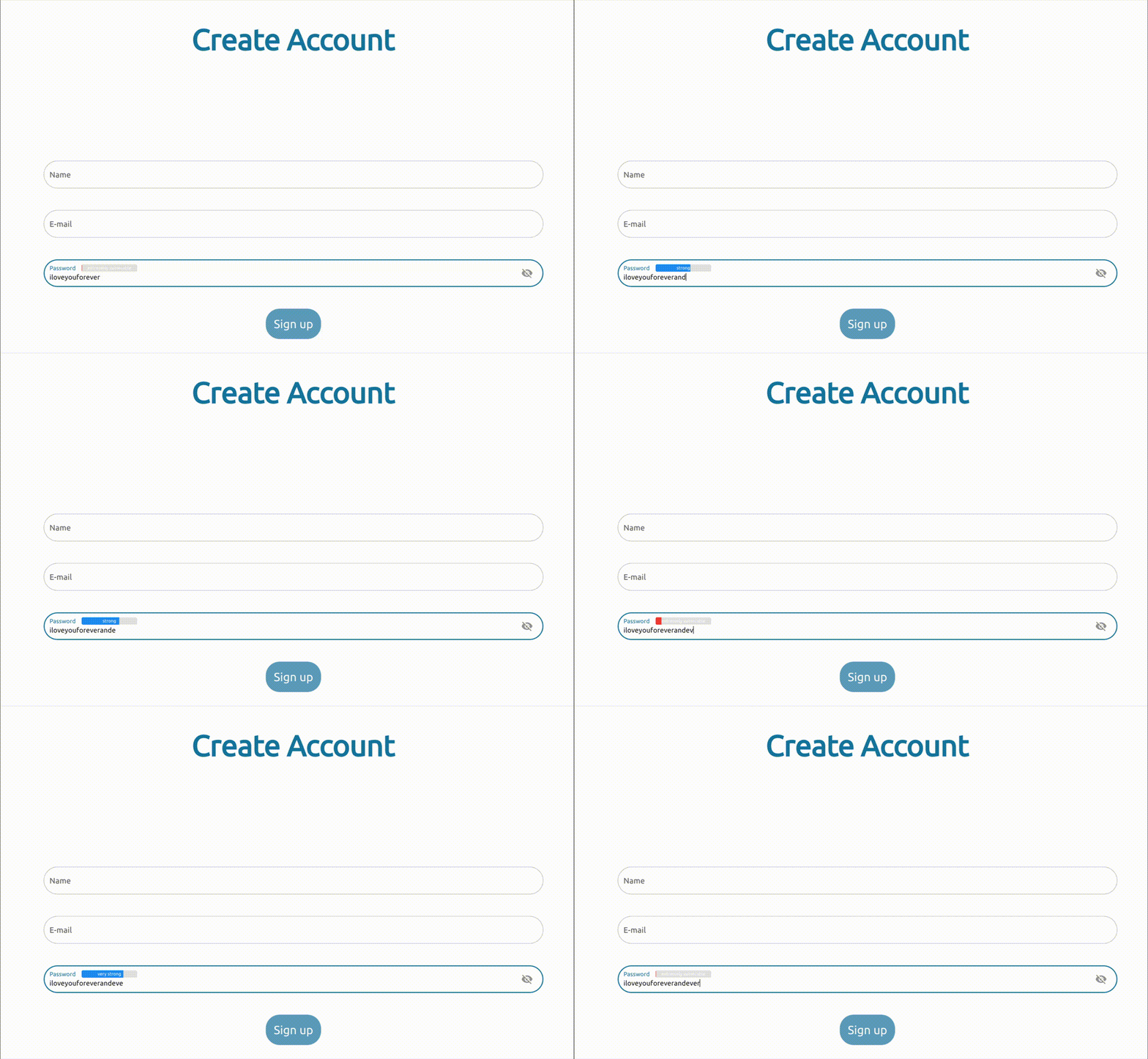
Two passwords, two letters apart: ‘iloveyouforeverand’ isn’t in any known leak. ‘iloveyouforeverandev’ is — so Letsfind’s strength meter drops to red.
Reusing passwords multiplies the damage
If you’ve reused the same password on more than one site, one leak isn’t one leak — it’s the key to every account where you reused it. Attackers run scripts that take leaked email/password pairs and try them against hundreds of services automatically. The technique is called credential stuffing, and it’s one of the most common ways accounts get taken over.
Phishing has gotten convincing
Phishing emails used to be easy to spot — bad grammar, weird sender addresses. AI tools made it cheap to generate convincing fakes: clean grammar, real branding, real-looking domains, even live phone calls in someone’s voice.
Attentive, careful people get phished. It’s not a question of being smart enough — it’s a question of catching one bad email at the wrong moment.
“But mine is super strong”
None of that helps if the password leaves your computer in a database breach. Strength protects you against guessing — meaning automated brute-force, where software runs through millions of password combinations per second, not someone typing them by hand. That’s a real attack and length matters there. But it does not protect you against the password being stolen, leaked, or tricked out of you — and that’s how most account takeovers actually happen.
A strong password protects you against guessing. Not against being stolen from.
What 2FA does
Without 2FA: someone gets your password and they’re in.
With 2FA: someone gets your password and they hit a wall. They now also need your phone, your authenticator app, your hardware key, or your fingerprint. A password can be stolen remotely, at scale, for almost nothing. A physical device can’t.
Most attackers won’t bother. They’ll move to the next account without 2FA. The biggest thing 2FA does is make you not worth the effort.
What account takeovers look like
None of these are hypothetical:
- Email gets taken over. The attacker hits “forgot password” on your bank, your social accounts, your shopping sites. The reset links land in their inbox now. One account becomes ten.
- Messaging account gets hijacked. The attacker writes to people in your contacts pretending to be you — “lost my phone, can you transfer 200 to this account?” Some friends or family fall for it.
- Social account starts posting things you didn’t post. Crypto scams, “great deal” links, whatever drives clicks. Your followers see it under your name and some of them click.
- Shopping account with a saved card gets used for fraud. You can usually dispute the charges. The hours you spend resolving it — those you won’t.
In each case, 2FA would likely have stopped the attack at the login screen.
Not all 2FA is created equal: the SMS problem
Many services let you receive 2FA codes by SMS. It’s the easiest option to set up — phone number you already have, no new app to install. It’s also the weakest form of 2FA in wide use, and the attacks against it don’t require any real hacking skill.
SIM swapping
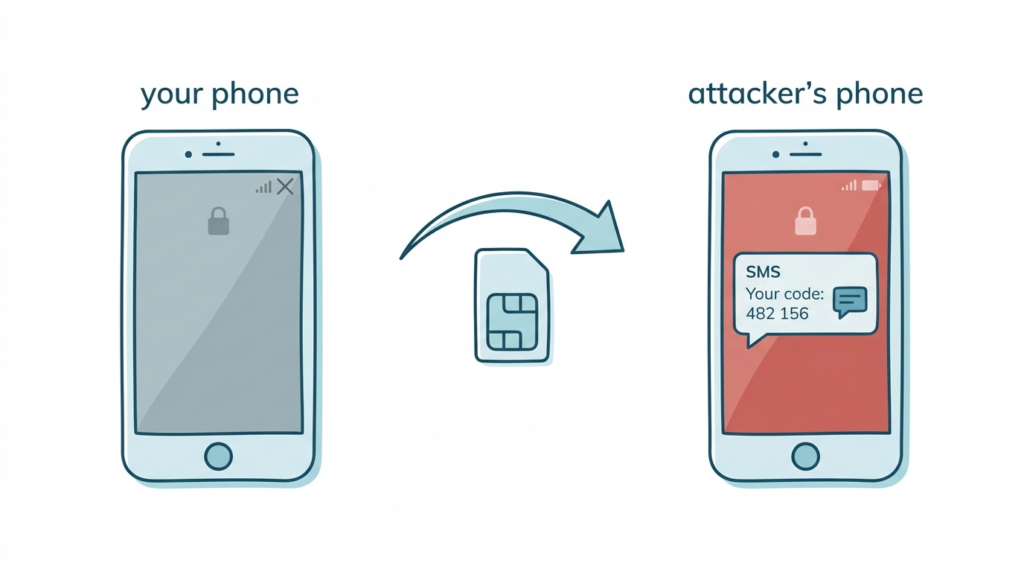
A SIM swap is when an attacker convinces your mobile carrier to move your phone number to their SIM card. Once that happens, every SMS code goes to them. Your phone just goes quiet.
They convince the carrier by calling customer support and pretending to be you. They have your name, your address, often your date of birth — all easy to find on social media or in old data leaks. They tell a story (lost phone, traveling, urgent).
SIM swaps aren’t a spray attack. They’re targeted — attackers pick people who look likely to have something worth taking: crypto holders, business owners, people with public reputations. For most users it’s not the likeliest attack, but it’s the most devastating when it lands — every SMS code follows. And the skill required is “make a convincing phone call.”
Codes intercepted in transit
SMS is delivered through a mobile signaling system called SS7. Security researchers have publicly demonstrated that SS7 vulnerabilities allow texts to be redirected without ever touching your phone or your carrier. You’d never notice; the message just goes to two places at once.
Access to SS7 used to be limited to telcos. It is no longer. Marketplaces — most of them on the dark web — sell SS7 services to anyone willing to pay. Public reporting describes monthly subscriptions in the four-figure range, or per-target lookups in the low hundreds. You don’t need to be a nation-state intelligence agency. You need money and a dark-web account.
Like SIM swapping, this is targeted, not random. But it’s accessible enough that “the carrier keeps your SMS safe in transit” is no longer accurate.
SMS recovery undermines your stronger 2FA
Even if you set up a strong second factor — say, an authenticator app — many services still let you “recover access” via SMS. An attacker who SIM-swaps you can bypass your stronger 2FA entirely.
The strength of your second factor is the strength of your weakest recovery method.
What to do
Use an authenticator app instead of SMS wherever the service offers it. The codes are generated on your device, never travel over the phone network, and none of the attacks described above apply. Most major services support it. Setup takes a couple of minutes per account.
If a service only offers SMS, turn it on anyway. SMS is weaker than the alternatives but still meaningfully stronger than no 2FA at all. A floor, not a goal.
Haven’t enabled 2FA on your Letsfind account yet? Go set it up — we support authenticator apps: letsfind.app/account/2fa.
Questions to ask yourself
In the spirit of the privacy article, a short checklist:
- Which of my accounts would hurt the most if someone took them over? (Email, banking, work, primary social — start there.)
- Do those accounts have 2FA enabled? Which kind?
- Am I using SMS where an authenticator app or passkey is available?
- If I lost my phone right now, could I still get into my accounts? (Backup codes — print them, store them somewhere safe.)
- Have I checked my main email on Have I Been Pwned recently?
The setup takes about ten minutes per account.
Cheers.