
When2meet, But Make It 2026
We just shipped something big. But first, let me set the scene.
You know the drill. Someone in the group chat says “let’s find a time for dinner next week” and suddenly you’re in a 47-message thread where three people reply with vague availabilities, one person ghosts, and someone suggests “how about Thursday?” without checking if anyone’s actually free.
So you do what everyone does — you send a When2meet link.
And it works. Kind of. If you’re on a laptop. And you don’t mind the UI looking like it was built when we were all still on MSN Messenger. And you’re okay with trying to fat-finger tiny grid cells on your phone while silently cursing whoever invented this thing.
We built something better.
Introducing the Availability Poll
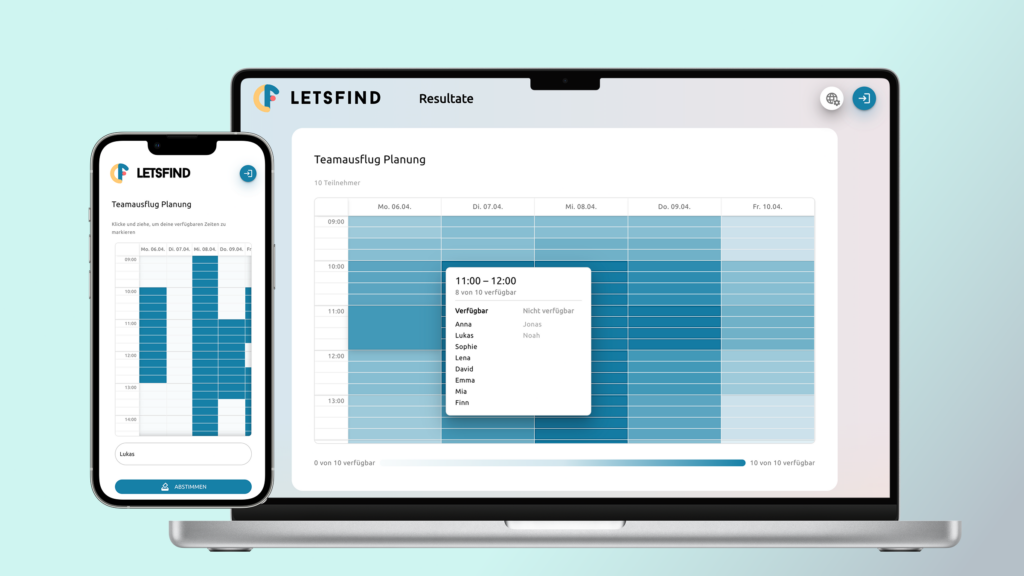
Letsfind now has a brand new poll type: the Availability Poll. It’s a visual time grid where participants mark when they’re free by clicking and dragging — and a heatmap instantly shows where schedules overlap.
Think When2meet, but actually usable on your phone. And pretty. And private.
Spot the Difference
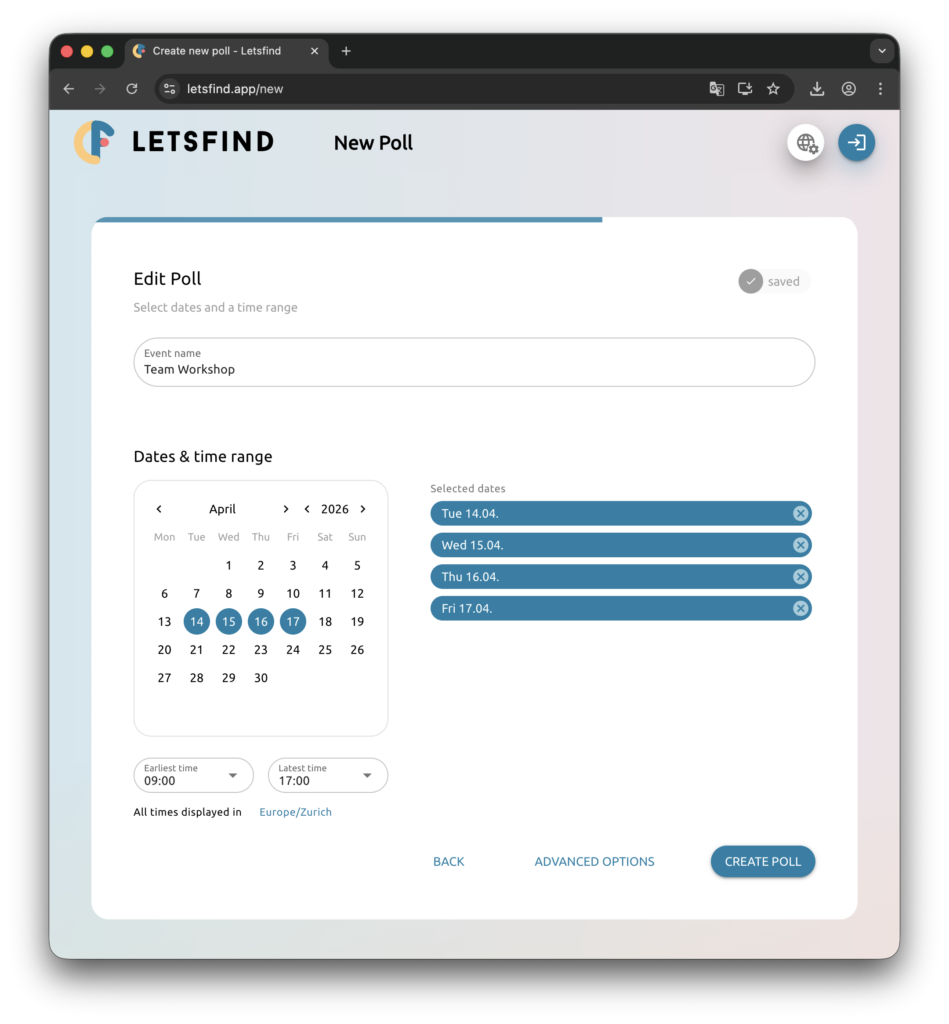
Just so we’re on the same page — here’s what creating an availability poll looks like on When2meet vs. Letsfind:
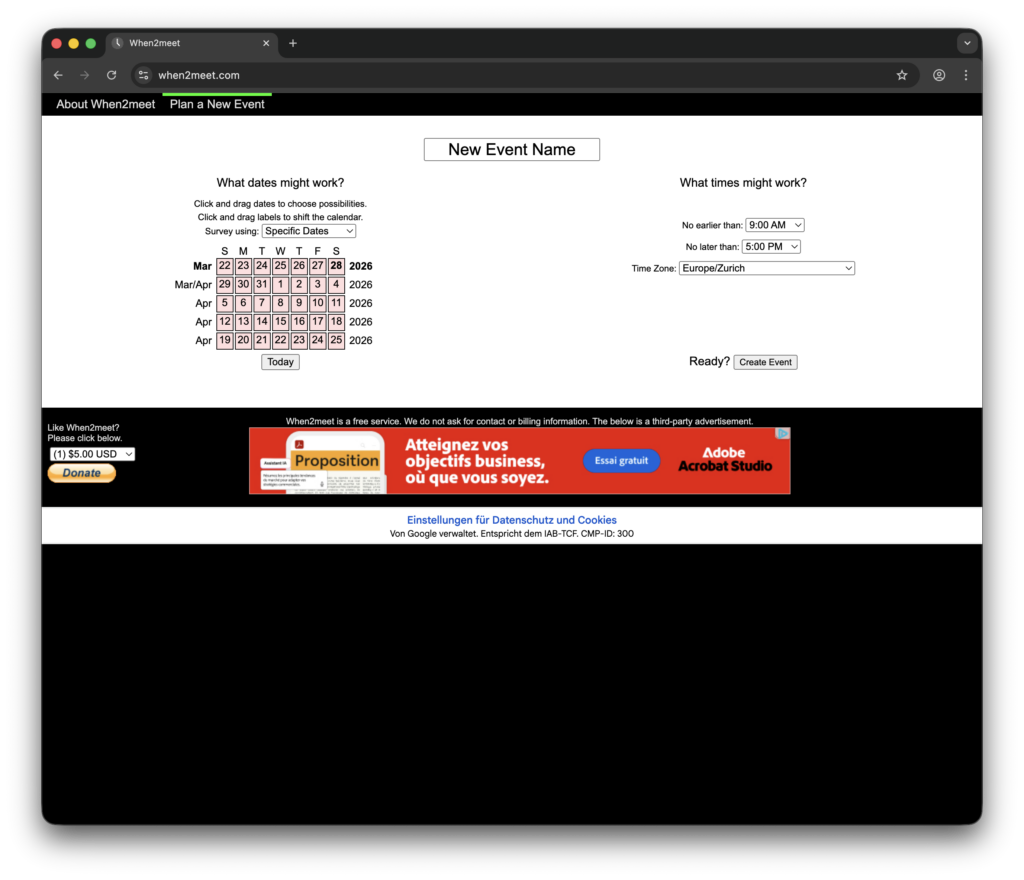
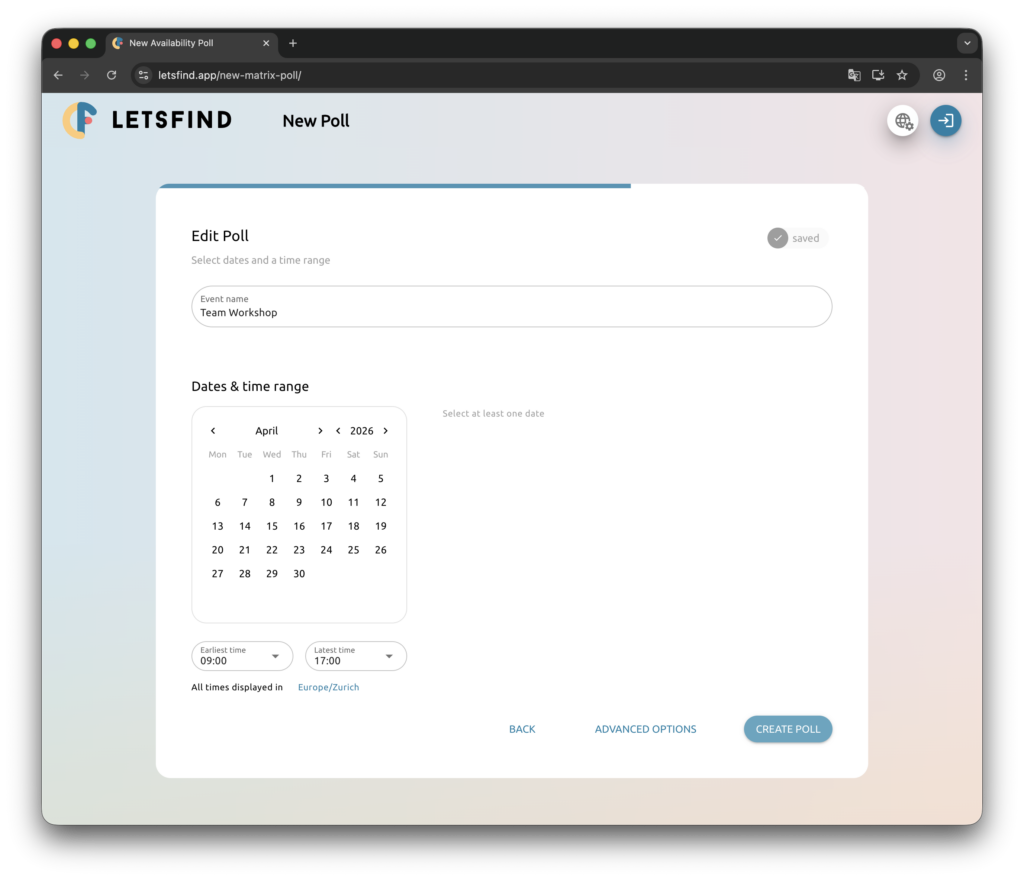
Look, When2meet has been around forever and it gets the job done. But it hasn’t really changed in years. Here’s where we think we can do better:
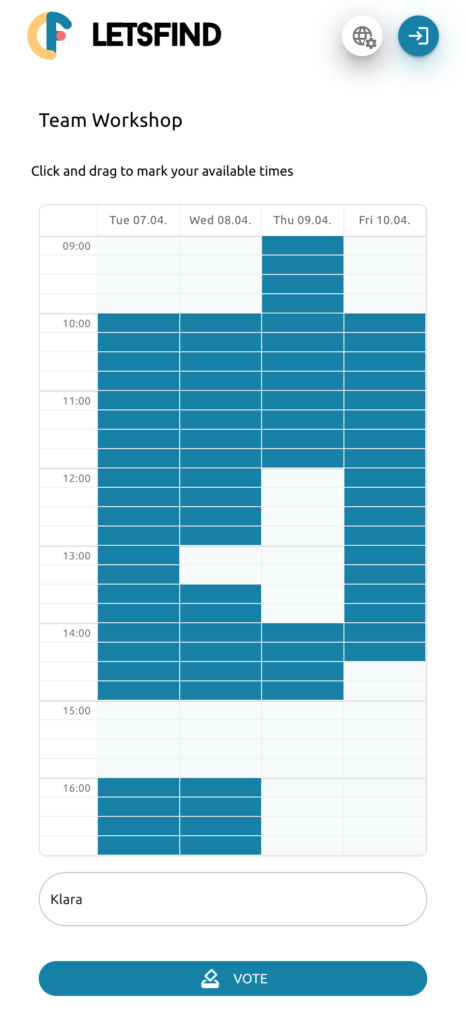
Actually works on your phone
When2meet on mobile is… an experience. The grid doesn’t resize, the drag interaction barely works, and you end up zooming and scrolling and accidentally selecting the wrong slots. Our grid is built mobile-first — touch-optimized drag-to-select that actually feels natural on a small screen.
Smart block detection
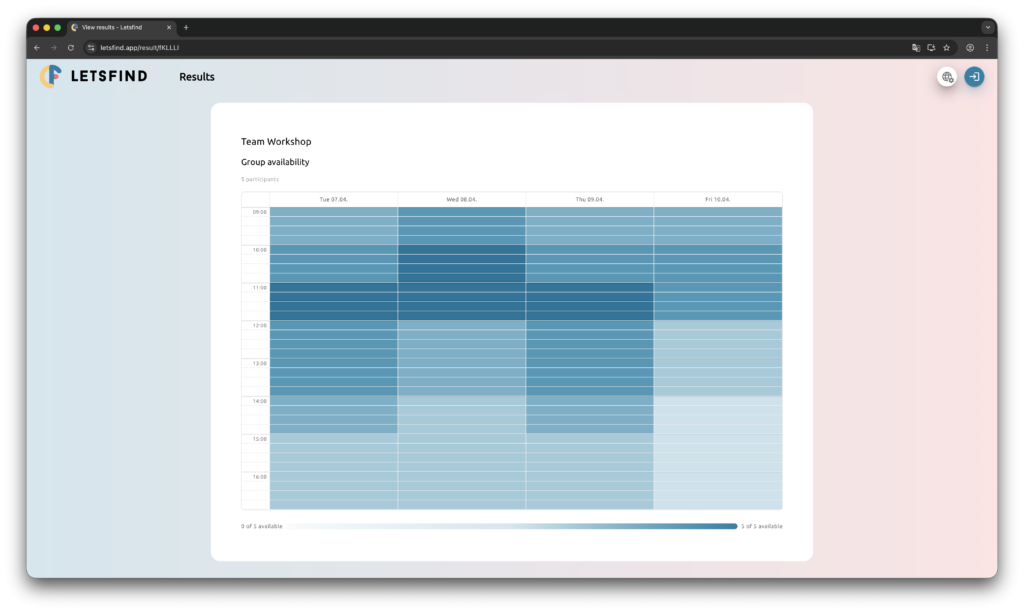
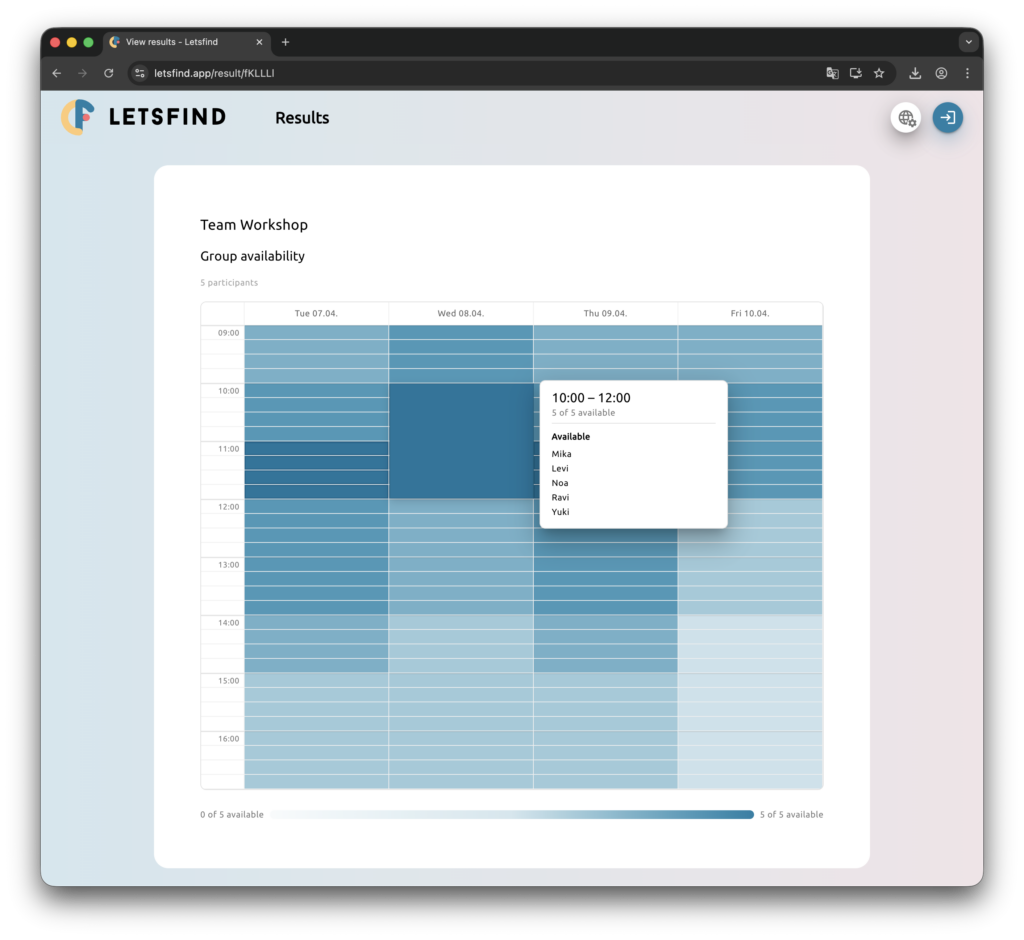
Here’s a feature When2meet doesn’t have: when you hover over the heatmap, we don’t just show you one 15-minute slot. We detect contiguous blocks — consecutive time slots where the exact same group of people is available — and highlight the entire block. So instead of “Tuesday 10:00–10:15, 3 of 5 available”, you see “Tuesday 10:00–12:00, 3 of 5 available”. Way more useful when you’re trying to find a 2-hour window for a workshop.
Winner slots that pop
When2meet uses a linear green gradient for its heatmap. Sounds fine in theory — but with 16 participants, the difference between 14/16 and 16/16 is barely visible. We use a non-linear color scale with a dedicated winner highlight for the slots with the best availability. The best time jumps out at you instead of hiding in a sea of similar greens.
No tracking, no cookies, no ads
Open When2meet and the first thing you see is a cookie consent dialog asking you to share your data with 211 partners. Then comes the ad banner. Then the PayPal donate button. All before you’ve even created an event.
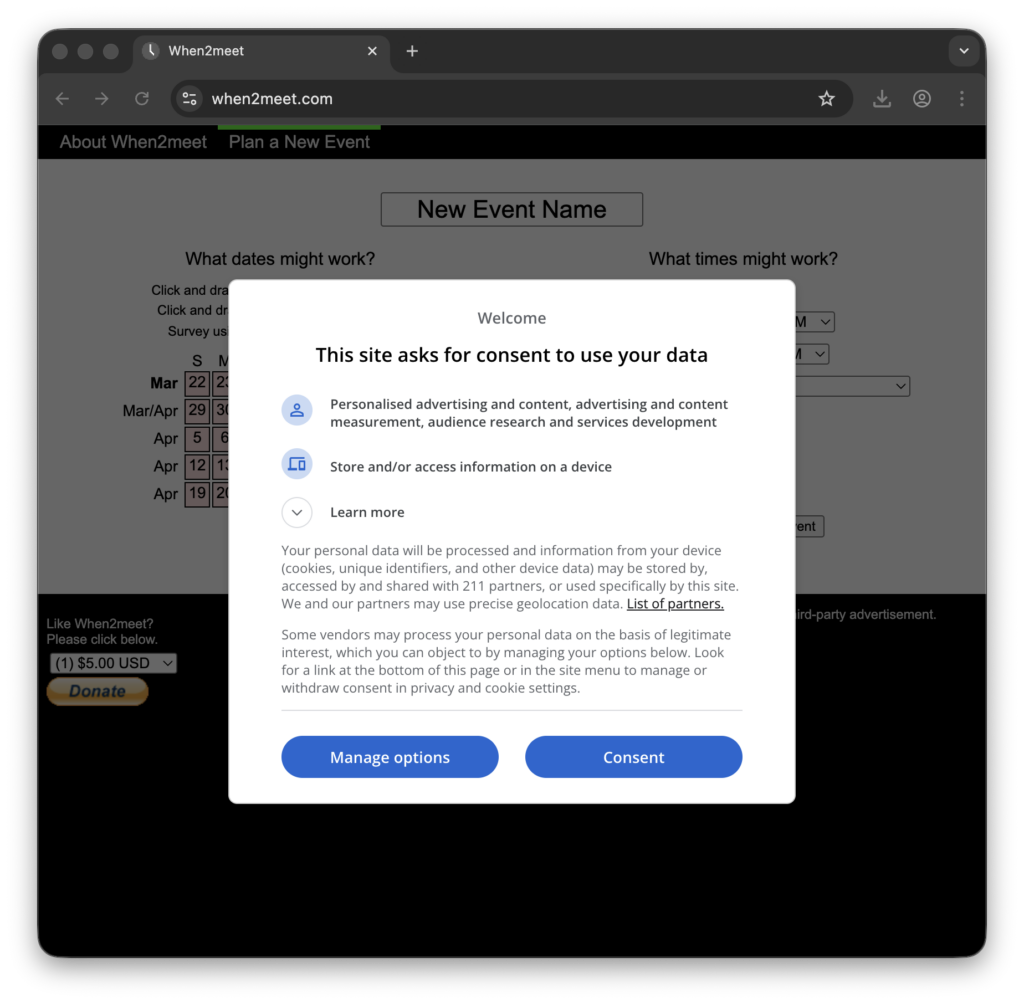
Letsfind has none of that. No cookie banners, no ads, no donate nags. Your data stays on Swiss servers. No account needed to create or vote. That’s kind of our whole deal.
How It Works
It’s four steps. Seriously.
- Pick your dates and set a time range (say, 9 AM to 5 PM).
- Share the link — no signup needed. Not even for you.
- Everyone marks their availability by clicking and dragging on the time grid.
- The heatmap shows the answer. Best times highlighted, worst times faded out.
That’s it. No 12-step onboarding. No “please verify your email.” No “upgrade to see results.”
Built for Real Groups
Whether you’re scheduling a band rehearsal, finding time for a study group, coordinating a team standup across time zones, or just trying to get five friends to agree on brunch — this is for you.
And yes, it supports time zones. Because not everyone lives in the same city, and that’s a problem When2meet doesn’t handle gracefully either.
Try It
We’re pretty proud of this one. It’s free, it’s fast, and it works on whatever device you’re reading this on right now.
Create an Availability Poll and see for yourself.
Got feedback? Ideas? Something broken? Hit us up at contact@letsfind.app — we read everything.
If you’re more of a “vote on specific dates” person, check out our scheduling polls instead. And if you’re curious about how we decide what to build (and what not to), here’s a recent post about the features we’ll never build.
Now go find out when everyone’s free.
Catch you on the grid. ?